
Netflix
Netflix, Inc.Entertainment
4.8917.13K Reviews
- Version
- Varies With Device
- Installs
- 1.00B
- Age Rating
- Teen
Screenshots

Our Review of Netflix
 Analysis by Appyee
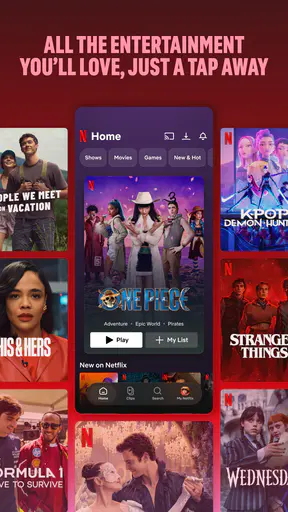
Ever had one of those days when all you want to do is just chill on the couch and binge-watch something awesome? Well, if you haven’t checked out Netflix yet, you’re seriously missing out! This app has become a staple in my digital life, offering a smorgasbord of entertainment right at my fingertips. Let me take you through why this app is an absolute must-have for any movie or series lover.
Finding a show without getting lost
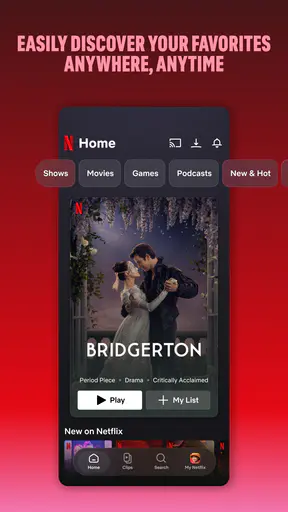
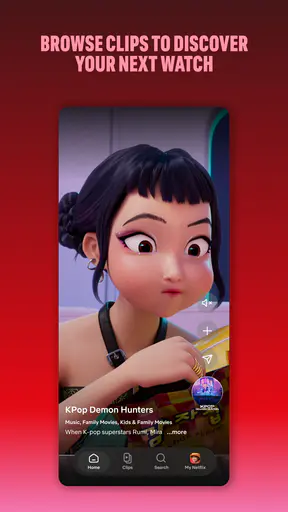
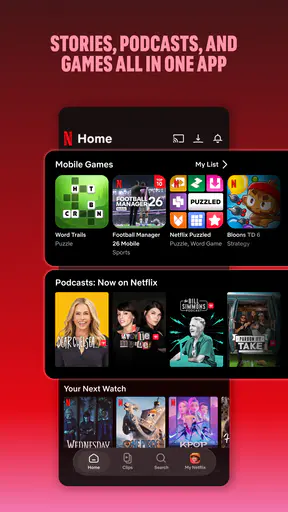
As an entertainment app from Netflix, Inc., Netflix is built around choosing and watching films and TV episodes rather than browsing a broader collection of social or creator-led video. That focus is useful when I already know what I want: searching for a title is often quicker than scrolling through rows of recommendations. When I don’t have a specific pick in mind, the home screen gives me several ways to browse, though the abundance of choices can turn a short break into a long decision session.
The service is free to download, but watching is part of a subscription service, so I would not mistake the app’s download price for free access to its catalogue. The app is rated for teens, and the 3.9 average from around 15 million ratings suggests a generally popular experience that still does not suit everyone equally. It has passed a billion installs, but that scale doesn’t tell you whether its selection, subscription arrangement, or viewing habits are right for your household.
One practical way I avoid endless browsing is to use search when I have a mood, actor, or title in mind, then save the decision-making for later if I’m unsure. Recommendations can be helpful for finding something similar to what I already enjoy, but they are not a complete guide to the catalogue. I treat them as suggestions, not a promise that the next row will match my taste. If I’m choosing with someone else, we agree on a genre or a time limit first; that small step is often more effective than scrolling through more rows.
Readability, navigation, and household use
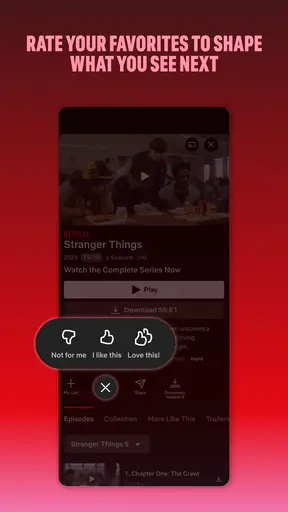
First things first, the range of content on Netflix is mind-blowing. Whether you’re into heart-pounding thrillers, laugh-out-loud comedies, or even educational documentaries, there’s something for everyone. I’ve lost count of how many times I’ve discovered hidden gems in their library. The app's algorithm seems to know me better than I know myself, offering up personalized recommendations that are usually spot-on.
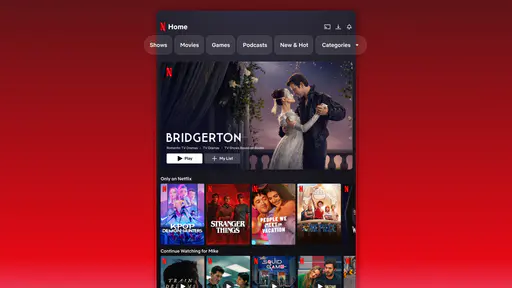
Now, I’m not a tech whiz, but navigating this app is a breeze. The layout is clean and intuitive, making it easy for even the least tech-savvy among us to find our way around. You’ve got your categories laid out neatly, and the search function is pretty robust. Plus, you can create multiple profiles for your household, so everyone gets to have their own tailored viewing experience. How cool is that?
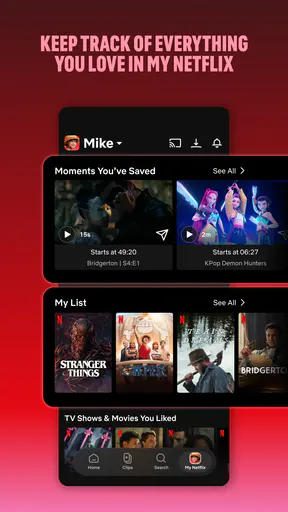
Separate profiles are more than a convenience when people share a screen: they help keep one person’s viewing choices from taking over another person’s recommendations. I’d set them up before everyone begins watching, rather than trying to untangle a shared history later. Profiles also make the app easier to hand to a relative or child without asking them to navigate someone else’s queue. The trade-off is that a profile can only reflect its own viewing habits; if several people use the same one, recommendations may become less useful.
For readability, I find the clear rows and familiar search pattern less demanding than navigating a huge undifferentiated list. Still, a screen full of artwork and categories is not automatically easy for everyone. People who prefer a very simple menu, need unusually large text, or find image-heavy screens tiring may want to try the app on their own device before relying on it. Where available on a device, its built-in display and input settings can also affect how comfortable browsing feels, so the experience is partly shaped by the phone or tablet as well as the app.
Watching when attention, sound, or connection differs
One of the standout features that I absolutely love is the offline viewing option. Planning a long flight or commute? No worries! You can download shows and movies to watch offline, which is a lifesaver when Wi-Fi is nowhere to be found. It’s like carrying a mini cinema in your pocket.
I find downloads most useful when I plan ahead: before leaving home, I choose a film or a few episodes and make sure they are ready for the trip. That is less stressful than discovering a weak connection after boarding or entering a station. Downloads also suit people who need to control when they stream, though they do require storage space and a little advance planning. I would not assume every title is available to download, so I check the specific programme in the app rather than building a travel plan around an unverified assumption.
For someone who cannot comfortably listen at a high volume, subtitles can make dialogue easier to follow; for someone who finds reading along distracting, they can be turned off when not wanted. That choice is particularly useful in a shared room, where I might keep the sound low so I don’t disturb someone else. But subtitles are not a universal fix: fast dialogue, small screens, or reading fatigue can make them difficult to use. If sound or visual access is central to your decision, I recommend testing a familiar episode and adjusting the available playback options before settling in for a long watch.
A realistic routine for me is to download an episode before a commute, use a profile that keeps my viewing separate, and pick up the programme later at home. It turns an otherwise idle journey into a planned viewing break, without depending on a steady connection at every point. On the other hand, if I only watch occasionally or want to spend no time choosing, a library of this size can feel like more effort than it is worth.
Original productions and streaming trade-offs
Netflix has really been nailing it with their original content. From critically acclaimed series like "Stranger Things" and "The Crown" to intriguing documentaries, their own productions are top-notch. It's no surprise that some of their originals have become cultural phenomena, sparking discussions everywhere.
Originals are a strong reason to consider the service if there are particular series or films you want to follow. They also give the catalogue a distinct identity compared with services that primarily gather programmes from other providers. The downside is that no single subscription app contains everything I might want to watch. If I’m following a show elsewhere, or looking for a specific title that isn’t available here, another service or a one-off rental may be the more direct choice. I would choose based on the programmes I actually plan to watch, not on the assumption that one app can replace every option.
Streaming quality is another area where this app shines. Depending on your internet connection, you can enjoy anything from standard to ultra-HD quality. And guess what? The app automatically adjusts the quality to prevent buffering, which is a huge plus for those of us with slightly dodgy Wi-Fi.
That adjustment is helpful when a connection fluctuates, but it cannot make a weak network behave like a strong one. If playback keeps stalling, I would first check whether other people are using the connection and whether the device is receiving a stable signal, rather than repeatedly restarting the same episode. Watching downloaded material is a sensible alternative when I know the connection will be unreliable. For viewers who mostly watch on a small phone screen, the highest available picture quality may matter less than stable playback; on a larger display, a good connection can make quality more noticeable.
Who will enjoy it, and where it can fall short
I see Netflix as a good fit for people who watch films and series regularly, want personal recommendations, or share a household screen and value separate profiles. It is also practical for travellers who can prepare downloads ahead of time. Someone who prefers live programming, watches very little, or wants one specific title that is not in the catalogue may be better served by a different entertainment option. The right comparison is not simply one streaming app against another; it is whether the shows you want, the way you watch, and the cost of a subscription make sense together.
There are a few barriers I would keep in mind. Browsing can take longer than watching, recommendations can miss the mark, and the subscription model means the free app download should not be confused with free viewing. A household may also need to agree on profiles and viewing habits to keep the home screen useful. For people who depend on particular accessibility settings, the experience can vary with the device and with the title, so I would check the controls and try a short programme before committing to a long session. These are ordinary practical checks, not reasons to assume the app will work equally well for every person or situation.
In conclusion, if you’re in search of an app that offers endless entertainment options with excellent features, look no further. Netflix is truly a game changer in the streaming world, and once you dive in, you might just find yourself hooked!
My more measured recommendation is to try it if you already have a few shows in mind, enjoy discovering related titles, and will use it often enough to justify a subscription. I would skip it for now if you mainly need occasional viewing, dislike browsing, or are counting on one particular programme without checking whether it is available. Netflix has reached a broad audience since its release on May 5, 2011, but the most important test is still personal: can you find something you want to watch, comfortably, in the situations where you actually use it?
Privacy and Permissions
See what permissions an app requests and how it handles your data.
- Photos/Media/Files
- read the contents of your USB storage, modify or delete the contents of your USB storage
- Storage
- read the contents of your USB storage, modify or delete the contents of your USB storage
- Camera
- take pictures and videos
- Microphone
- record audio
- Wi-Fi connection information
- view Wi-Fi connections
- Other
- view network connections, pair with Bluetooth devices, allow Wi-Fi Multicast reception, full network access, change your audio settings, run at startup, control vibration, prevent device from sleeping, read Google service configuration
How Netflix Compares
Full ComparisonNetflix suits viewers who want a broad, frequently refreshed library, Prime Video appeals to value seekers who want films, series and live programming, and Disney+ is the focused pick for Disney, Star
| App | Developer | Rating | Price |
|---|---|---|---|
 NetflixThis App | Netflix, Inc. | 4.8 | Free |
 Prime Video | Amazon Mobile LLC | 4.7 | Free |
 Disney+ | Disney | 4.4 | Free |
Verdict
Strengths of Netflix
- Extensive library of movies and shows.
- User-friendly interface and navigation.
- Offline download for viewing on-the-go.
- Regularly updated with new content.
- Supports multiple profiles per account.
Limitations of Netflix
- Subscription cost may be high for some.
- Content varies by region.
- Requires stable internet for streaming.
- Some popular shows may be missing.
- Limited customization in recommendations.
Other Releases by Netflix, Inc.
View All
Sonic Mania Plus - NETFLIX
Action4.5

Bloons TD 6 NETFLIX
Strategy4.6

Football Manager 26 Mobile
Sports4.3

Toca Boca Hair Salon 4 NETFLIX
Educational4.5
Similar Picks in This Category
View All
Google Play Games
Google LLC3.9

YouTube Kids
Google LLC4.2

Disney+
Disney4.4

Prime Video
Amazon Mobile LLC4.7

Steam
Valve Corporation3.2

PlayStation App
PlayStation Mobile Inc.3.5
You May Also Like
View All


Frequently Asked Questions
What devices are compatible with Netflix?
Netflix is compatible with a wide range of devices, including smartphones, tablets, smart TVs, gaming consoles, and computers. Whether you're using Android, iOS, or a web browser, you can access Netflix with ease. Make sure your device is updated to the latest software version for optimal performance.
Does Netflix offer a free trial period?
As of now, Netflix does not offer a free trial period. However, they have flexible subscription plans that allow you to cancel anytime, giving you the freedom to explore their vast library of content at your convenience. Check their website for the latest offers and pricing details.
Can you download content from Netflix to watch offline?
Yes, Netflix allows users to download select movies and TV shows to watch offline. This feature is available on the Netflix app for Android and iOS devices, as well as Windows 10. Keep in mind that not all titles are available for download due to licensing restrictions.
How does Netflix's content recommendation system work?
Netflix's recommendation system is powered by algorithms that analyze your viewing habits and preferences. It suggests content based on what you’ve watched, liked, and rated. The more you use Netflix, the more accurate the recommendations become, helping you discover new shows and movies tailored to your taste.
Is there a way to control data usage on Netflix?
Yes, Netflix provides options to manage data usage, especially useful for mobile devices. You can adjust data usage settings within the app to control how much data Netflix uses while streaming. Options include automatic, Wi-Fi only, and a set limit per hour, ensuring a balance between quality and data consumption.
